

How to Use Wireshark for Network Analysis and Security in 2025
Introduction
Wireshark is the world’s most widely used packet analysis tool for network security. IT professionals, incident response teams and pentest specialists rely on it to inspect traffic in real time, identify anomalies and diagnose vulnerabilities in corporate environments.
For medium and large companies, Wireshark isn’t just a troubleshooting tool: it’s an essential component of monitoring, intrusion detection and incident response programs.
What Wireshark is and how it works
Wireshark is an open-source network protocol analyzer that captures data packets on network interfaces and presents their content in a readable form. It supports hundreds of protocols and lets you filter, inspect and export traffic data for forensic analysis.
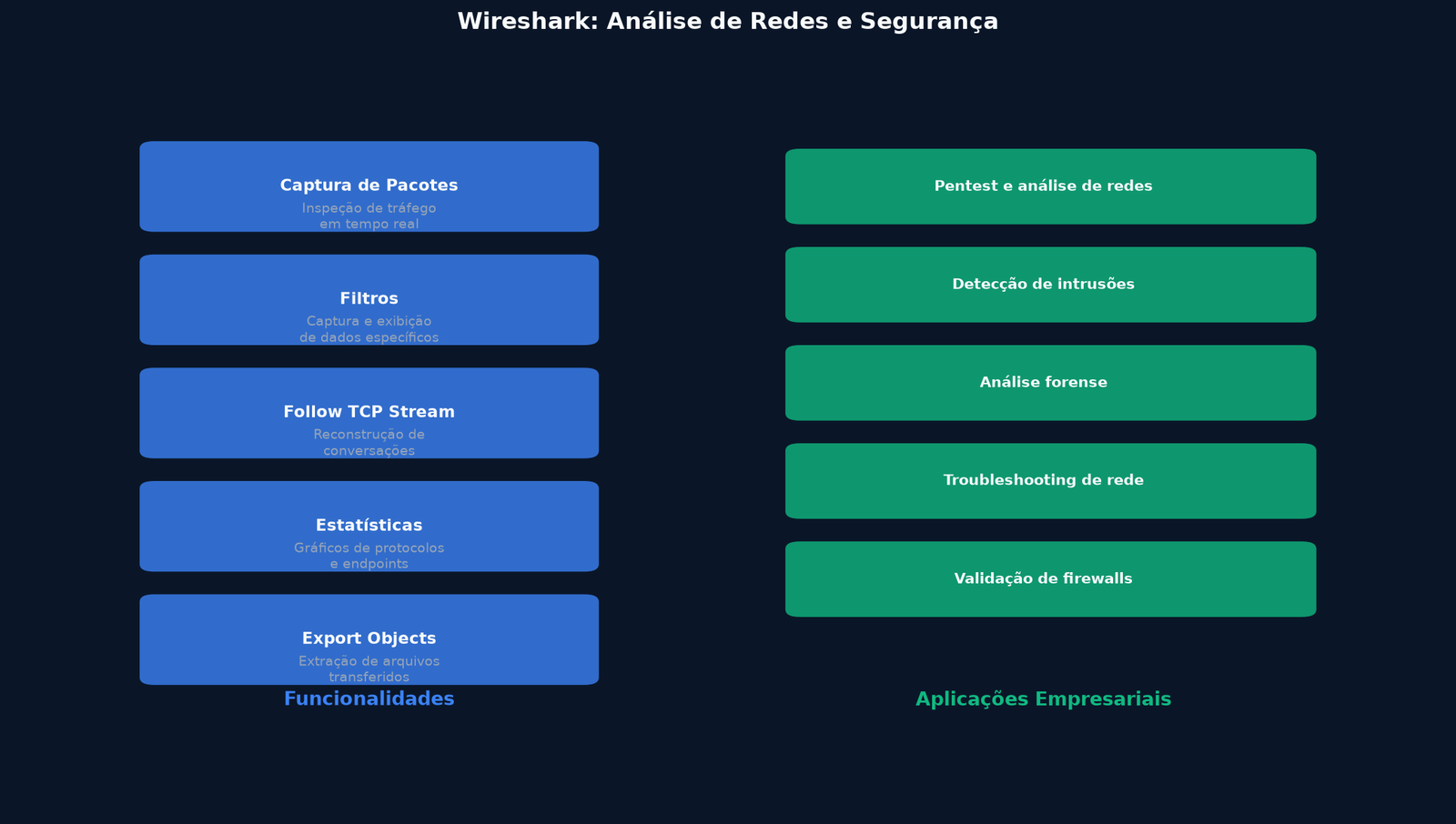
Companies use Wireshark to:
- Analyze suspicious traffic on corporate networks
- Identify malware communicating with external servers
- Diagnose performance and connectivity issues
- Validate firewall and segmentation settings
- Collect evidence in incident investigations
Wireshark for penetration testing
In pentesting, Wireshark helps you understand how data travels across the network and identify weak points:
1. Network reconnaissance
Capture packets to map active hosts, protocols in use and communication patterns. Identify unauthorized devices or exposed servers.
2. Detecting cleartext credentials
Legacy protocols such as HTTP, FTP, Telnet and SMTP send credentials without encryption. Wireshark can reveal passwords traveling in clear text, demonstrating the need to migrate to TLS.
3. Malware analysis
Identify suspicious communications with command-and-control (C2) servers. Analyze malware fingerprints and understand their network behavior.
4. Segmentation validation
Test whether firewalls and VLANs are properly isolating critical environments. Check that traffic between sensitive zones is being blocked as expected.
Essential filters and features
Wireshark offers powerful filters to reduce the volume of captured data:
- Capture filters: Defined before capturing, they reduce the volume of stored data
- Display filters: Applied after capturing, they enable targeted analysis
- Follow TCP Stream: Rebuilds complete conversations for content analysis
- Statistics: Charts showing the distribution of protocols, conversations and endpoints
- Export Objects: Extracts files transferred via HTTP, SMB or other protocols
Best practices for business environments
- Capture only the traffic you need to avoid overload
- Store captures in secure environments with restricted access
- Document all capture and analysis actions
- Combine with continuous monitoring and a SOC for real-time detection
- Train teams to interpret traffic data
Benefits for business security
- Deep visibility into network traffic
- Detection of anomalies and intrusions
- Forensic support in security incidents
- Validation of network and firewall controls
- Technical awareness for IT teams
How Alliances Solutions can help
Alliances Solutions offers pentesting, network analysis and incident response services using Wireshark and other professional tools. Our team identifies vulnerabilities, documents findings and recommends corrective actions.
Get in touch to schedule a pentest and strengthen your network security.
FAQ – Frequently Asked Questions
1. What is Wireshark?
It’s an open-source network protocol analyzer that captures and displays data packets for security analysis, troubleshooting and forensics.
2. Can Wireshark capture passwords?
Yes, if unencrypted protocols such as HTTP, FTP or Telnet are in use. This shows how important it is to migrate to TLS and HTTPS.
3. Is it legal to use Wireshark on business networks?
Yes, when used by owners or authorized teams for security and monitoring purposes. Unauthorized traffic capture may violate privacy laws.
4. Does Wireshark replace firewalls and IDS?
No. Wireshark is an analysis and diagnostic tool. Firewalls and IDS act preventively in real time.
5. Does Alliances Solutions use Wireshark in pentests?
Yes. We use Wireshark as part of our pentest and forensic analysis methodologies to identify vulnerabilities in corporate networks.